
Soft Select: Move One Point, Shape the Whole Curve
- editor
- curves
- soft-select
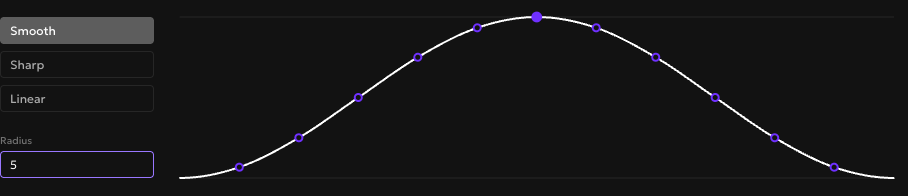
Drag one point on a color curve and the points around it follow, softened by a falloff you control. That lets you lift a whole region of a ramp with a single handle instead of nudging each step until the curve looks smooth again. Soft Select landed in 6.14.0, and it turns a fiddly cleanup into one drag.
What You'll Need
A Rampancy palette with at least one ramp. To follow along exactly, load the built-in Tailwind preset and open the Blue ramp.
Open the Palette Editor on the L curve, which plots lightness across the ramp. Soft Select works on the chroma and hue curves too, but lightness is the easiest place to watch it work. It behaves the same on whatever channels your palette's color space uses.
Step 1: Spot the flat midtones
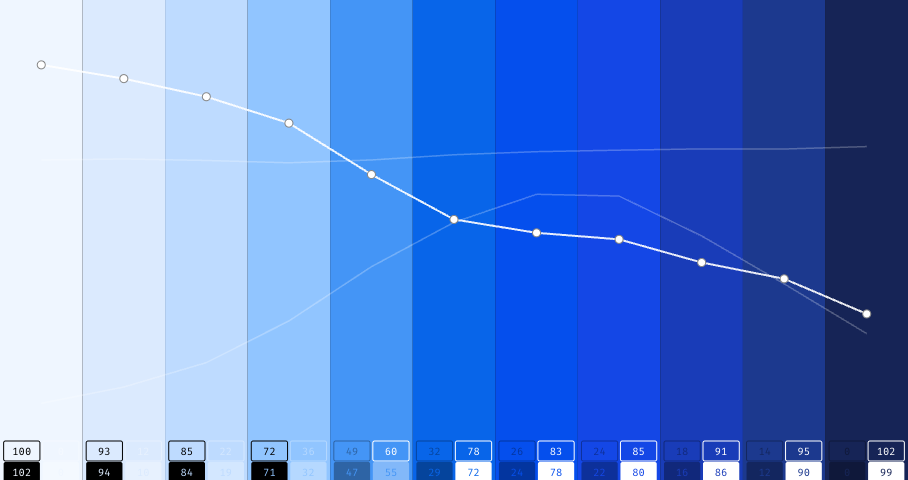
Here is a Blue lightness ramp with a soft spot. The middle steps sit on a shelf, so 400 through 600 barely change in lightness and the ramp reads muddy through the center. Fixing it by hand means dragging each of those steps and then chasing the kinks that appear between them.
Step 2: Turn on Soft Select
Open the Curves section in the right sidebar and click the Soft Select toggle, the bullseye icon at the start of the row. A panel opens below the curve with a live preview of the weight curve, which shows how far each neighbor moves relative to the point you drag. If the Easing panel was open, it closes, since only one of the two stays open at a time.
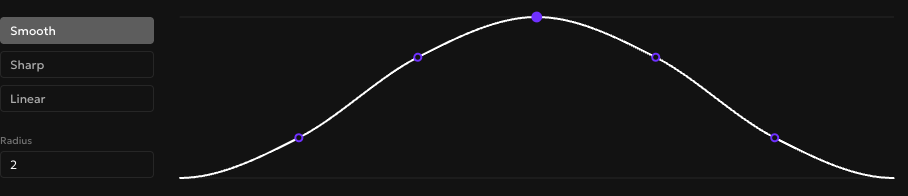
The default is a Smooth falloff at a radius of 2, so a drag reaches the two steps on each side.
Step 3: Lift the middle point
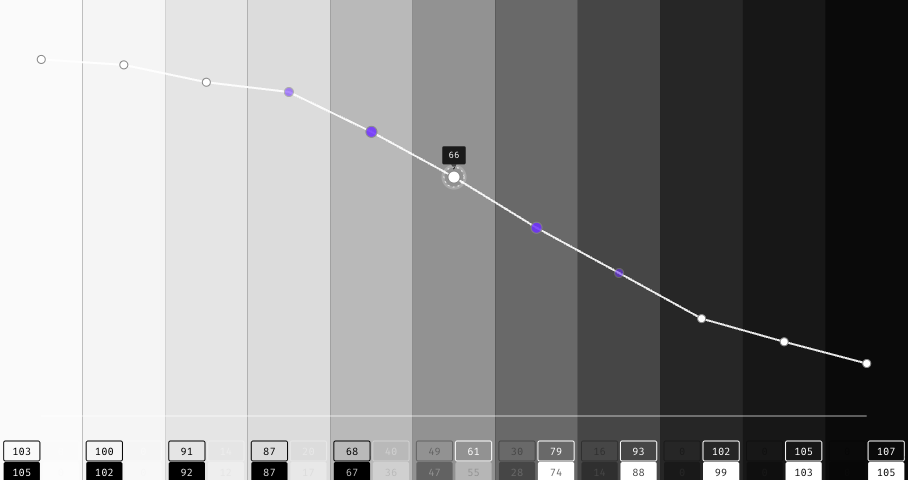
Grab the middle step and drag it up. The neighbors come along, each by a fraction of your movement, and the shelf rounds into a clean descent. While you drag, the handles that are moving light up, growing larger and brighter the more they follow, so the reach of the edit is visible at a glance.
At radius 2 with Smooth, the steps right next to your point take 75 percent of the move and the ones beyond them take 25 percent. The weight divides by the radius plus one, so every neighbor inside the reach keeps a share worth seeing. Nothing quietly rounds to zero.
Step 4: Widen or tighten the radius
Radius sets how many steps on each side follow, from 1 to 5. Push it to 5 and the preview dome stretches to cover five neighbors per side, so one drag reshapes a long stretch of the ramp. The first time I tried this I left the radius at 5 and wondered why half the ramp slid when I moved a single point. Keep it small for a local touch-up and raise it when you want a broad reshape.
Step 5: Change the falloff shape
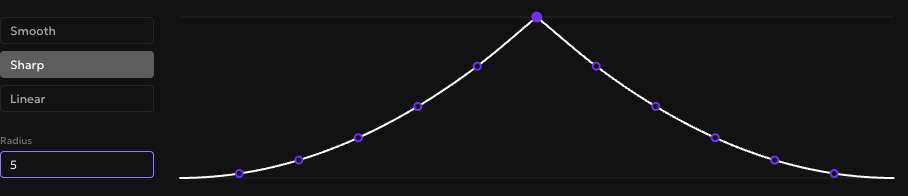
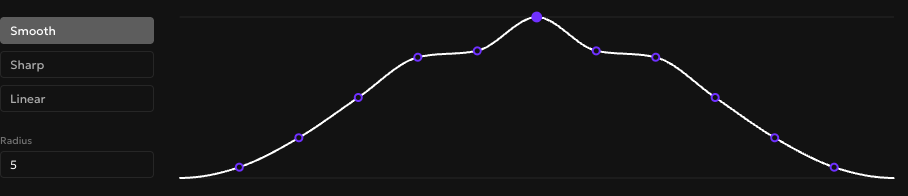
The falloff decides how fast the pull drops off as it spreads. Smooth is a rounded dome that eases neighbors in gently. Sharp comes to a point, so the closest step moves a lot and the rest fade quickly. Linear runs straight between the two. Switch to Sharp and the preview becomes a pointed tent, a good pick when you want the drag to stay concentrated near the point you grabbed.
Step 6: Fine-tune individual weights
When a preset shape is close but not exact, drag the markers in the preview up or down to set each weight by hand. Pull the nearest pair down and the top flattens into a shoulder. The curve holds the character of its mode as you go, and each marker stays held between its neighbors, so the weights always fall off from the center outward and a wave is off the table.
Your radius, falloff, and hand-tuned weights all live in the browser as an editor preference. They persist across reloads and stay out of the palette itself, so nothing here shows up in an export.
FAQ
Does Soft Select change my exported colors?
No. It only shapes how a drag spreads while you edit. The radius, falloff, and any weights you set by hand are stored in your browser, apart from the palette, so exports and imports come out exactly as before.
What happens to steps I have locked?
Locked steps hold their place. A Soft Select drag steps around them, whether a locked step is the one you grabbed or a neighbor that would otherwise follow.
Can I undo a soft drag in one step?
Yes. The whole gesture is a single history entry, so one undo returns every affected step to where it started.
Try it
Soft Select is in every Palette Editor with nothing to set up. Make a free account at /signup and point it at a ramp that has been nagging you.