
Auto Rename: From ramp-1 to Real Color Names
- editor
- naming
- workflow
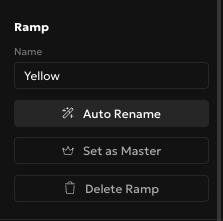
A new ramp starts life as "ramp-1," "ramp-2," and so on. Auto Rename replaces that with an actual color family name, Yellow instead of Gold, Rose instead of some CSS name nobody remembers, in one click.
What You'll Need
- A palette with at least one ramp. Any ramp works, including ones you added yourself with an arbitrary hex value.
Step 1: Find the button
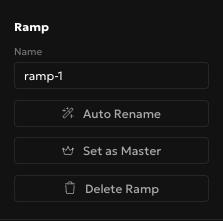
Select a ramp in the editor and look at the right sidebar, under the Ramp section, right below the Name field. Auto Rename sits there with a wand icon, and it only touches the ramp you currently have selected, nothing else in the palette moves.
Step 2: Click it
Auto Rename reads the ramp's base color and maps it to one of about eighteen Tailwind-style family names: Red, Amber, Teal, Indigo, Pink, and so on, plus neutrals for grays and near-black or near-white ramps. We deliberately didn't use the CSS/X11 color list here. Those names lie more often than they help, #ffd700 is technically "Gold" but reads as a plain saturated yellow to basically everyone, so that's what Auto Rename calls it.
Step 3: Duplicates and undo
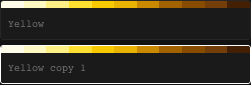
Auto Rename two ramps that land in the same family and the second one gets a suffix automatically, "Yellow copy 1," so you never end up with two ramps silently sharing a name. If the result isn't what you wanted, undo brings back the old name like any other edit, and the name field itself stays fully editable afterward if you just want to tweak a word.
FAQ
Does this rename every ramp in my palette?
No, only the one you have selected. Renaming a whole palette means clicking into each ramp and running it individually, there's no bulk action for this on purpose.
Where do the names actually come from?
A roughly eighteen-family hue vocabulary modeled on Tailwind's own naming, not the CSS/X11 color list. I found this out the annoying way once, staring at a ramp labeled "Gold" that was clearly yellow on my screen, which is exactly the mismatch this feature exists to fix.
Can I undo an Auto Rename?
Yes. It goes through the same undo history as any other edit in the ramp, so a normal undo puts the previous name back.
Rename one embarrassingly-labeled ramp right now, it takes about two seconds. Or sign up and build a palette that never has a "ramp-1" in the first place.